DESKTOP
A complete workspace for agentic coding.
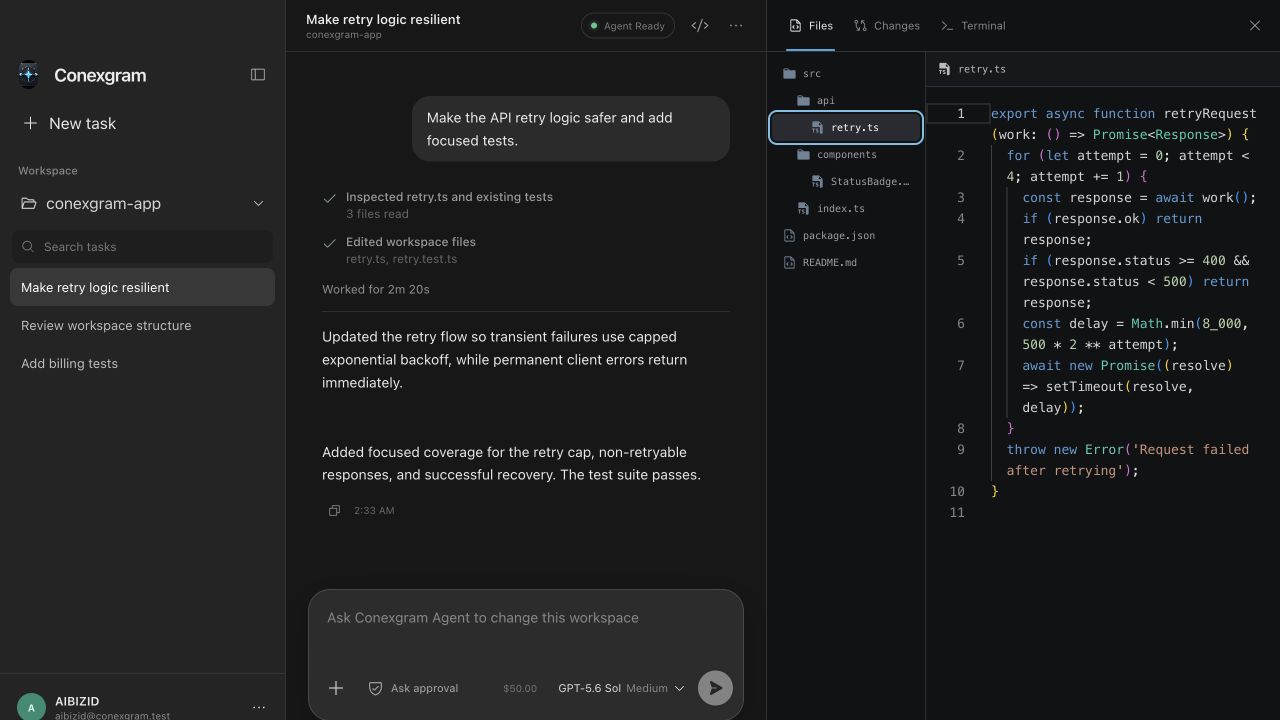
Keep tasks, conversations, files, diffs, and terminal output together in one native app.

CONEXGRAM AGENT
Inspect, edit, run, and review code from Conexgram Desktop, with open-source Telegram access for Codex CLI.
OPEN SOURCE ROOTS
The public project lets Telegram start, resume, and check Codex CLI sessions on your own machine, while this app builds the managed workspace experience around it.
ONE AGENT. TWO SURFACES.
Use the desktop app for complete project work, or follow the public repository for the Telegram-controlled Codex CLI bridge.
Keep tasks, conversations, files, diffs, and terminal output together in one native app.
The public Conexgram project keeps Codex on your computer while Telegram becomes a lightweight remote control surface.
THREE STEPS
Approve the device securely with your Conexgram account.
Choose a local project and the access mode you want.
Follow the response, commands, file changes, and finished result.
BUILT FOR TRUST
Your agent works locally with the mode you choose, while your account controls model access and credit.
Revoke devices without exposing upstream credentials.
Use approval-gated workspace access or explicit full access.
Commands, diffs, and file changes stay in view.
Model access and credit remain managed by your account.